Skip to content

Built for Everyone

Bridge brings contractor documents, time, tasks, and team updates into a single workspace built for the field and the office.

01 / Business Phone

Your business line, anywhere

Give your team one professional line on the web and mobile app. Route calls to the right person, keep personal numbers private, and revisit the details with call transcripts.

  • Shared calling
  • Call workflows
  • Transcripts
Explore Business Phone
Illustrative Bridge Business Phone screen with shared calling, private numbers, and call transcripts
iPhone frame

02 / Projects & documents

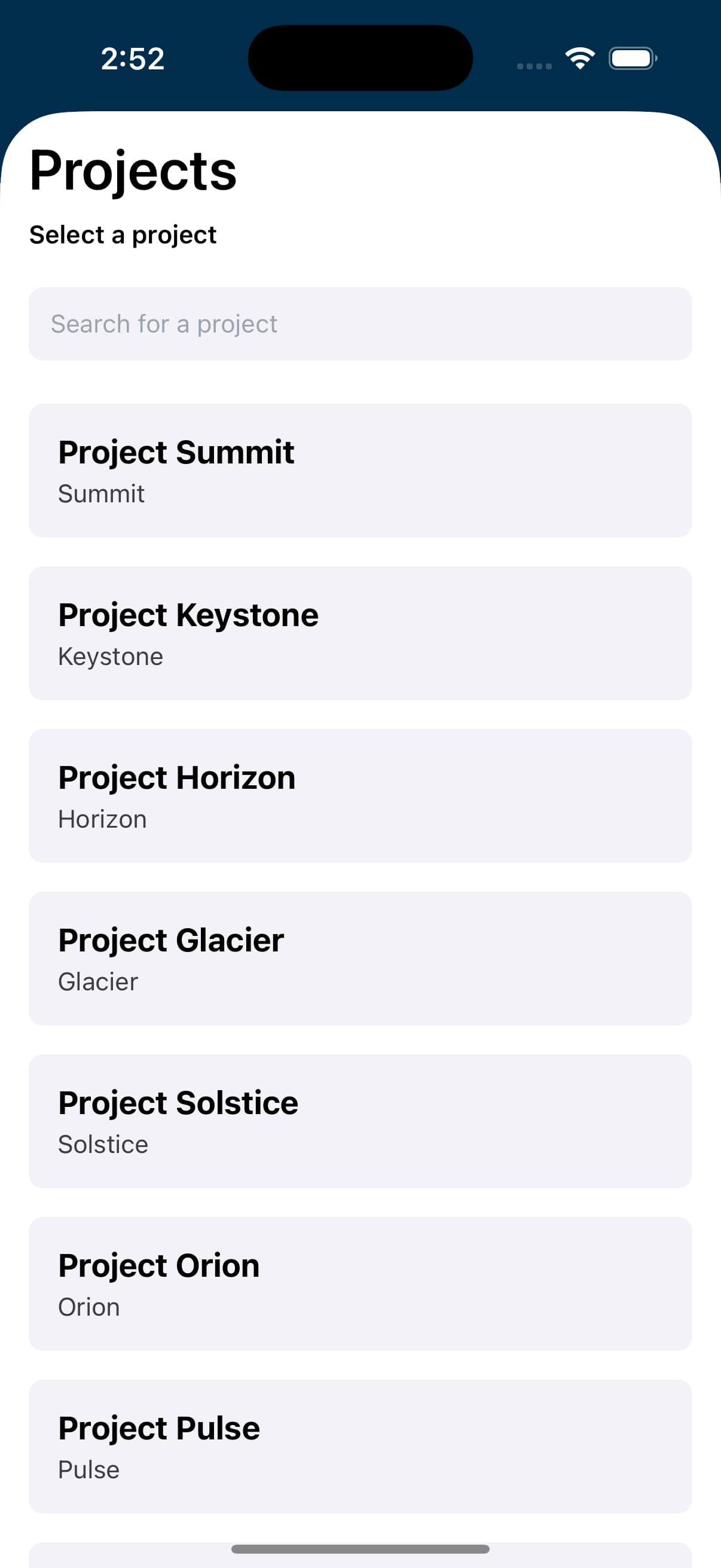
Projects and documents, connected.

Give every project a shared home for plans, revisions, files, and updates. Keep office teams, crews, and collaborators working from the current information, with access tied to the project.

  • Project workspaces
  • Organized files
  • Shared access
Explore Projects
Bridge mobile project selection screen
iPhone frame

03 / Timeclock · Coming soon

Timeclock for your crew

Bring crew hours closer to the work. Timeclock is being built to connect clock-ins, project and location details, and office review in one workflow.

  • Jobsite context
  • Project hours
  • Office review
Explore Timeclock
Bridge mobile Timeclock preview with a project clock-in
iPhone frame

Work cleaner, move faster

Contractor operations with less follow-up

Bridge helps teams reduce duplicate entry, missed updates, and scattered project information by keeping core workflows in one place.

Fewer document handoffs.

Plans, revisions, and shared files live where the team already works.

Cleaner field updates.

Time, tasks, and approvals move through one connected workflow.

Less rework between teams.

Office and jobsite teams can act from the same project context.

Centralize documents

Keep plans, revisions, and supporting files tied to the project.

Coordinate your way

Give office and field teams the same operating picture without extra meetings.

Track time clearly

Connect crew time to projects so billing and reporting have better context.

Move tasks forward

Keep approvals, next steps, and field updates visible to the people doing the work.

Business phone

One business line. Your whole team.

Keep every call professional, from the office to the jobsite. Your team calls with your company’s number, while personal numbers stay personal.

Explore Business Phone
  • One line for the people you choose

    Give authorized teammates access to make calls using your business number from the web or mobile app.

  • Your workflow. The right person.

    Route incoming calls to your team in Bridge or forward them to an employee’s personal phone, keeping their number private.

  • Keep the conversation in reach

    Review call transcripts in Bridge so your business can revisit the details and follow up with context.

How Bridge compares

Keep what works. Bridge the gaps.

Already using Buildertrend? That can stay. Bridge gives projects, documents, purchasing, and day-to-day coordination a shared home alongside the software your team still relies on.

Start with the workflow that creates the most friction, then expand without forcing the whole company through a rip-and-replace rollout.

Keep what works

Your software stack

Buildertrend
Accounting
Email + files
Supplier portals

Shared context

Bring the gaps together

One operational home

Projects
Documents
Purchasing
Field + office

Replace the stack

Move the whole business into a new system at once.

Add another tool

Solve one problem while creating another handoff.

Bridge the gaps

Start with one workflow and build a shared place for the work around it.

Fictional project document workspace

Documents Without Chasing

Share plans, revisions, and project files with the right people without digging through message threads.

Fictional list of technology, home, and workplace projects

Document Simplicity

Bridge keeps project documents organized and available to every person who needs them.

Fictional project activity and time overview

Time Saving

Keep updates, time, and tasks in one place so everyone can move from context to action.

Big Things Are Happening

Built for you

Give crews the information they need before they reach the jobsite. Bridge keeps project files, updates, and team activity close to the work.

Connect field and office

Bring documents, time, and task updates into a single workspace so contractors can move faster with fewer status meetings.

Keep project information current and easy to find

Organize project documents so plans, revisions, and field updates stay tied to the work they belong to.

SB

Skyline Build

Project 4127

Active project

Open items

24

Activity history

Plan set

Revision uploaded

2m

Crew time

Submitted for review

14h

Task list

Updated by superintendent

8

Give crews the context they need in seconds

Give project managers, supers, and crews fast access to shared documents and time updates.

ACTIVE CREW

12 members

4 crews checked in

PROJECT DETAILS

Status

Active

Phase

Framing

Priority

High

WORKLOAD

Docs

Tasks

Time

RFIs

REVIEW QUEUE

Pending approvals

5

Completed today

11

Document Simplicity

To keep projects moving

Join the Arizona businesses growing with Bridge software built by contractors, for contractors — to take your business to the next level.

Built around the job

Bridge is designed around construction workflows, giving office teams and field crews a shared source of truth.

Commerce Illustration